Setting up VA Health Sync
Here we'll talk about how you can get the API access needed for Mere Medical to connect to your VA Health patient portal. Note that at the moment, Mere Medical only support sandbox access for VA health data so you cannot pull in real health data yet.
To get started, you'll need to request sandbox access from the VA Developer portal. Visit the Patient Health API sandbox access page to begin.
Request Sandbox Access
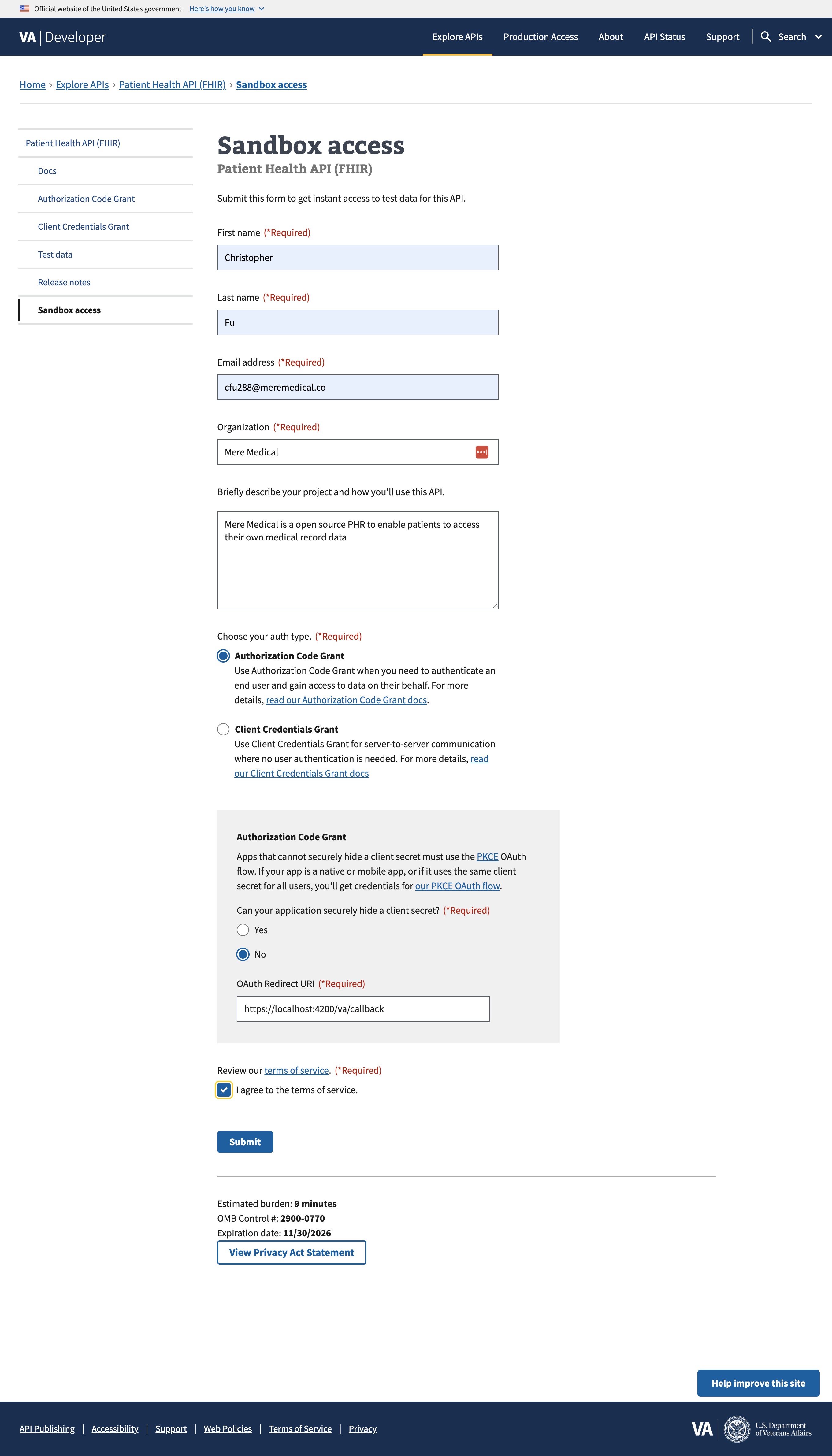
Fill out the sandbox access request form with the following details:
- First name / Last name: Your name
- Email address: Your email
- Organization: Your organization name (or your own name if self-hosting personally)
- Briefly describe your project: Describe how you'll use the API (e.g., "Personal health record aggregation for accessing my own VA health data")
- Auth type: Select Authorization Code Grant
- Can your application securely hide a client secret?: Select No (this enables the PKCE flow)
- OAuth Redirect URI: Set this to
{PUBLIC_URL}/va/callbackwhere{PUBLIC_URL}is your Mere Medical instance URL (e.g.,https://mere.example.com/va/callback). Despite the image below, this cannot be a localhost URL.
The VA requires HTTPS for all redirect URLs. Localhost URLs are not supported. For local development, you'll need to use a tunneling service like ngrok to expose your local instance over HTTPS.
Configuration
After submitting the form, you'll receive a Client ID. Add it to your environment configuration as VA_CLIENT_ID:
VA_CLIENT_ID=your-client-id-here