Setting up Healow Sync
Here we'll talk about how you can get the API access needed for Mere Medical to connect to your eClinicalWorks/Healow patient portal.
To get started, you'll need to create an eClinicalWorks developer account. You can do this by creating an account here.
Once you've created an account, you'll need to create an app registration for your self-hosted Mere instance. The goal of an app registration is to get a Client ID that can be used by your instance of Mere Medical to connect to Healow.
Register New App
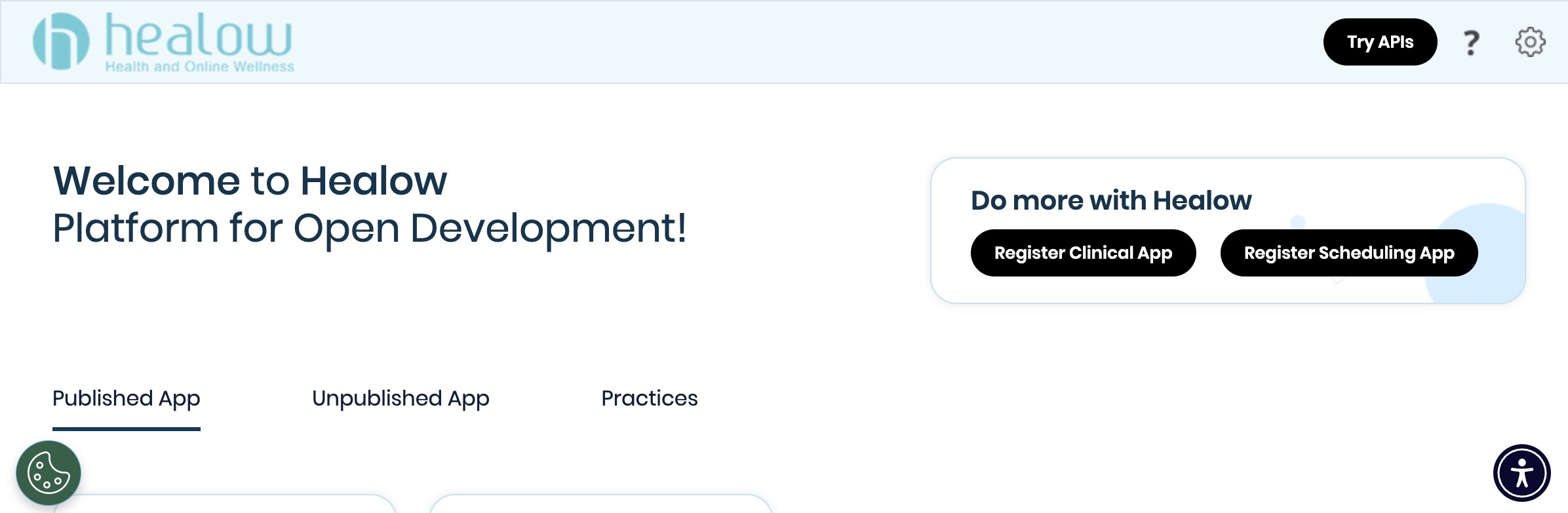
After you've logged in to the Healow developer portal, click the Register Clinical App button to get started with a new app registration.
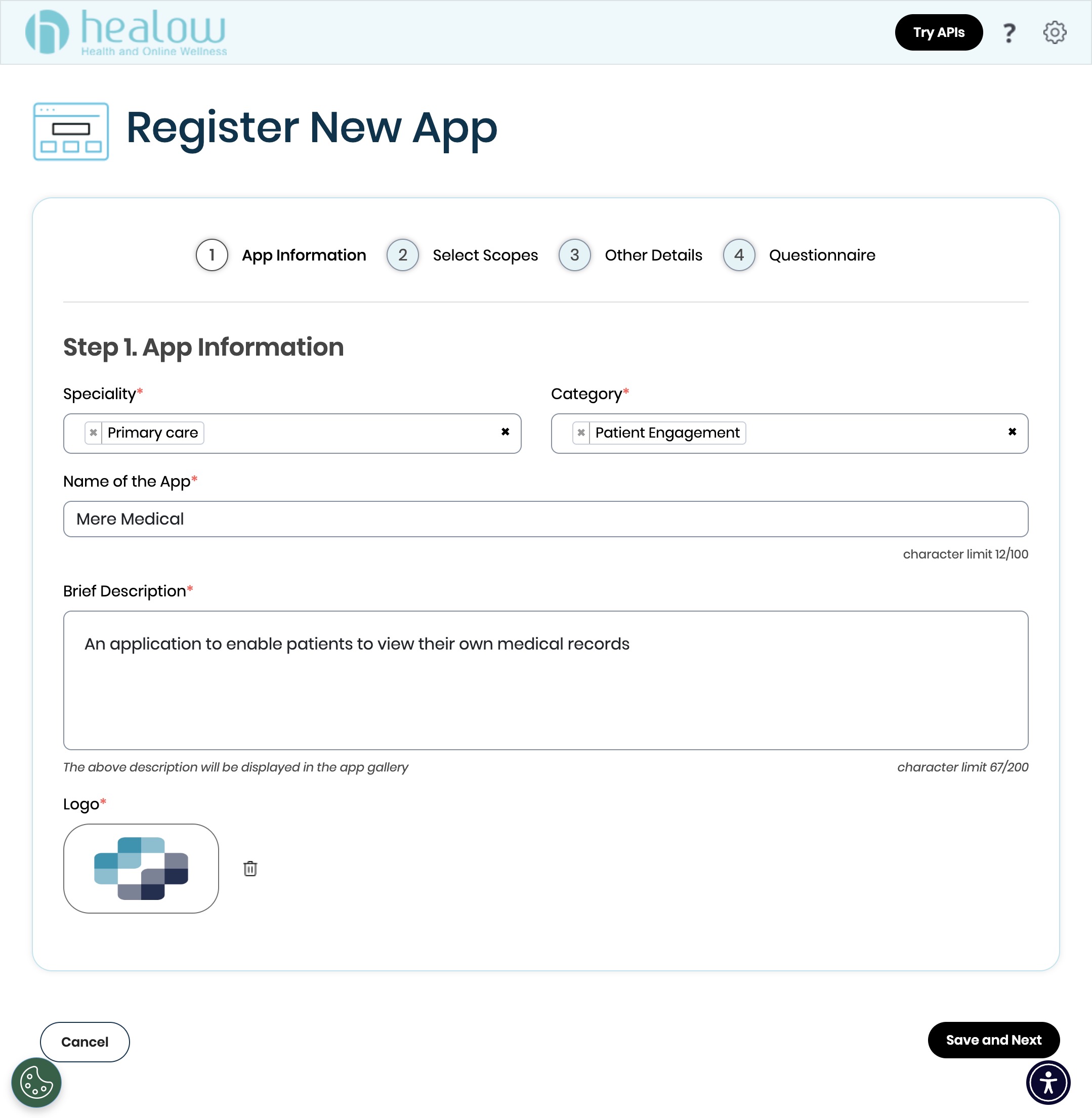
App Information
Fill in the app info:
- Specialty: Primary Care
- Category: Patient Engagement
- App Name: Mere Medical
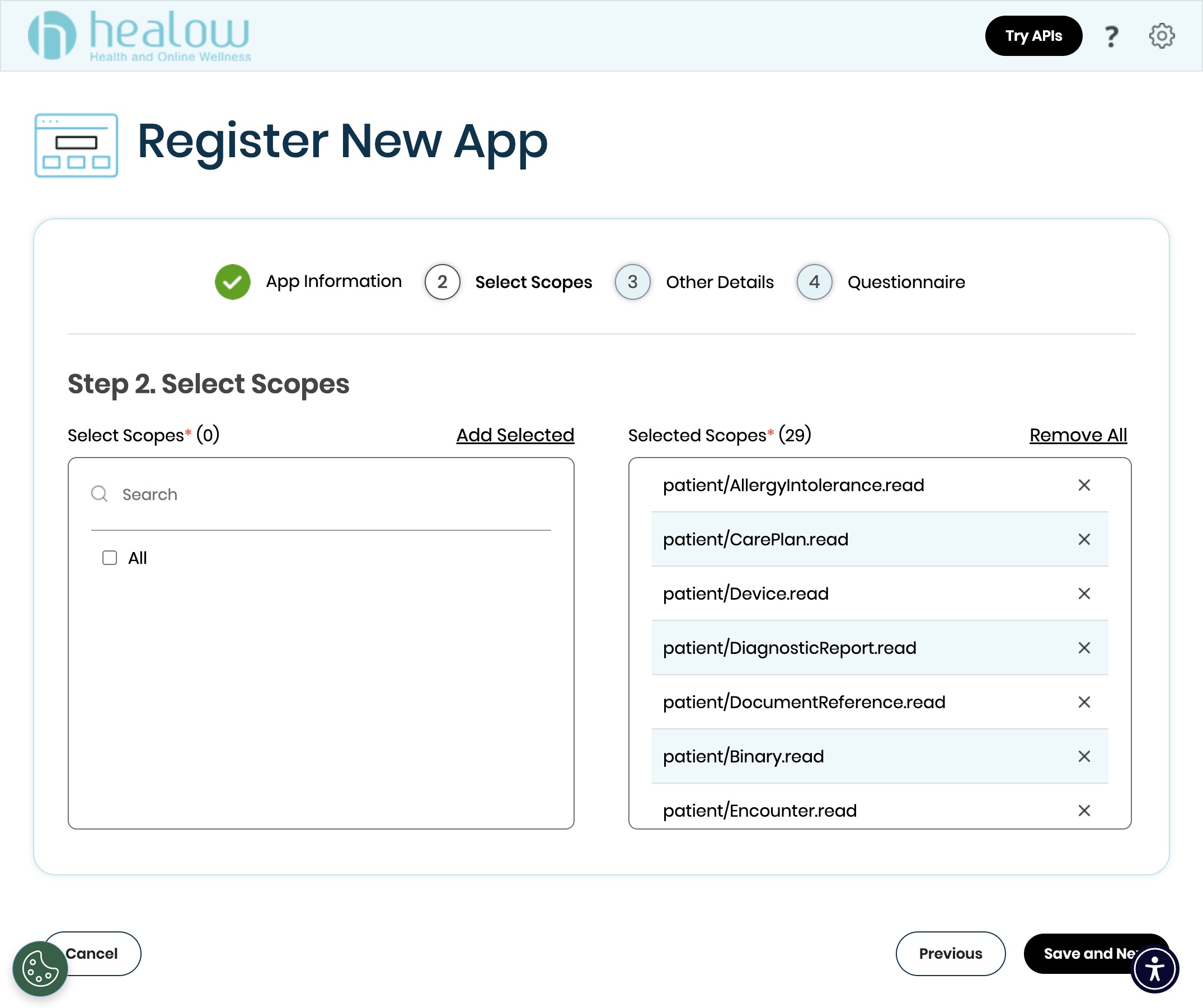
Scope Selection
Select all available FHIR scopes to ensure Mere Medical can access all of your health data.
Other Details
Healow supports two OAuth client types:
- Confidential Client: Your server stores a client secret and can request refresh tokens. Users authenticate once and Mere Medical can sync in the background without re-authentication.
- Public Client: No client secret required, but Healow does not issue refresh tokens. Users must re-authenticate every time the access token expires (typically 1 hour).
Confidential Client (Recommended)
In confidential mode, token exchange occurs through the hosted backend service. If you are not self-hosting, the server operator can potentially see your access tokens.
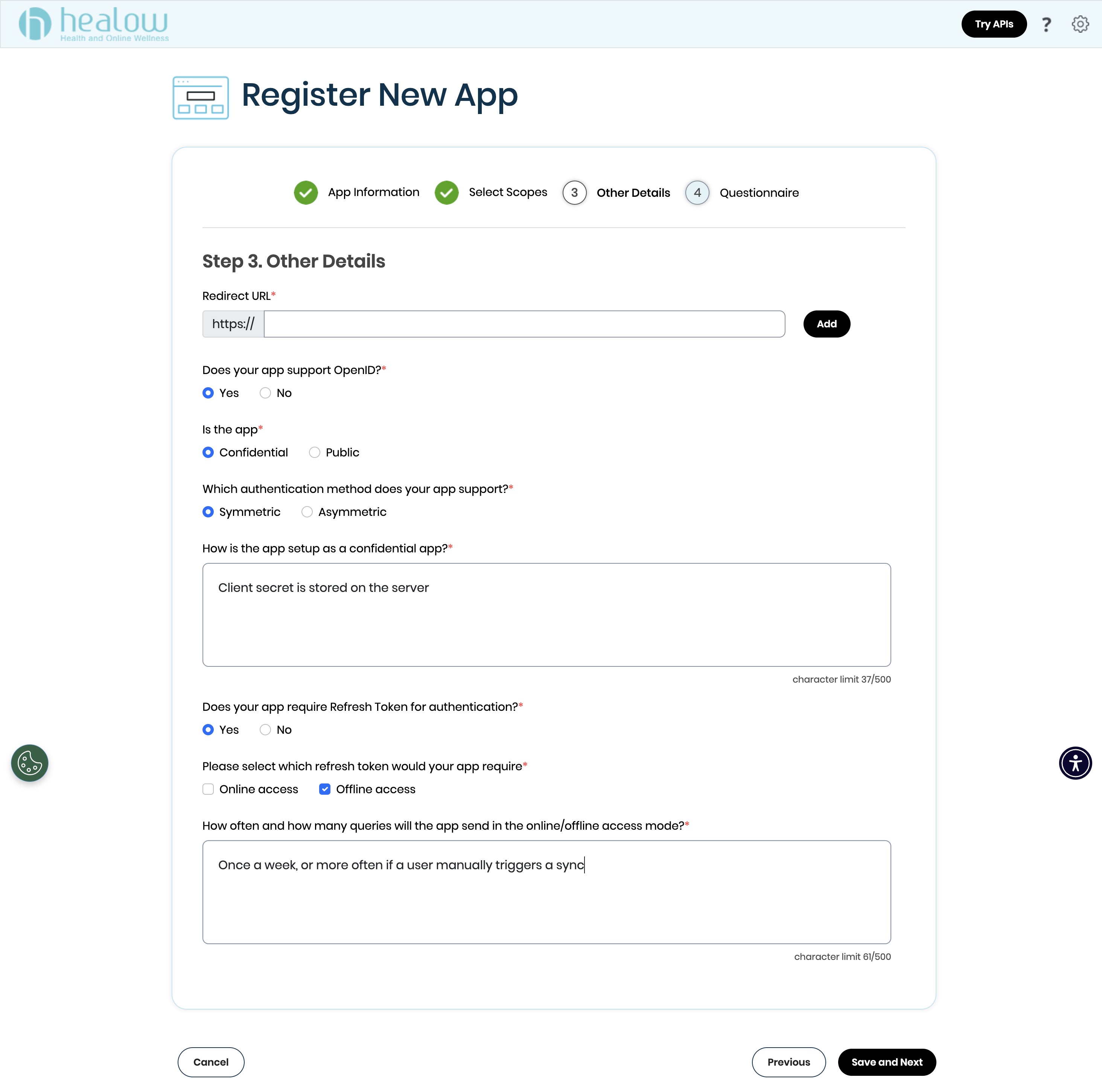
- Redirect URL: Set this to
{PUBLIC_URL}/healow/callbackwhere{PUBLIC_URL}is your Mere Medical instance URL (e.g.,https://mere.example.com/healow/callback) - Does your app support OpenID?: Yes
- Is the app: Confidential
- Which authentication method does your app support?: Symmetric
- How is the app setup as a confidential app?: "Client secret is stored on the server"
- Does your app require Refresh Token for authentication?: Yes
- Please select which refresh token would your app require: Offline access
- How often and how many queries will the app send?: "Once a week, or more often if a user manually triggers a sync"
Public Client
Healow does not enable CORS, preventing the Mere web from communicating directly with their servers. All requests must go through the hosted proxy, exposing similar risk to the confidential workflow but without the benefit of token refresh. For this reason, confidential client setup is recommended.
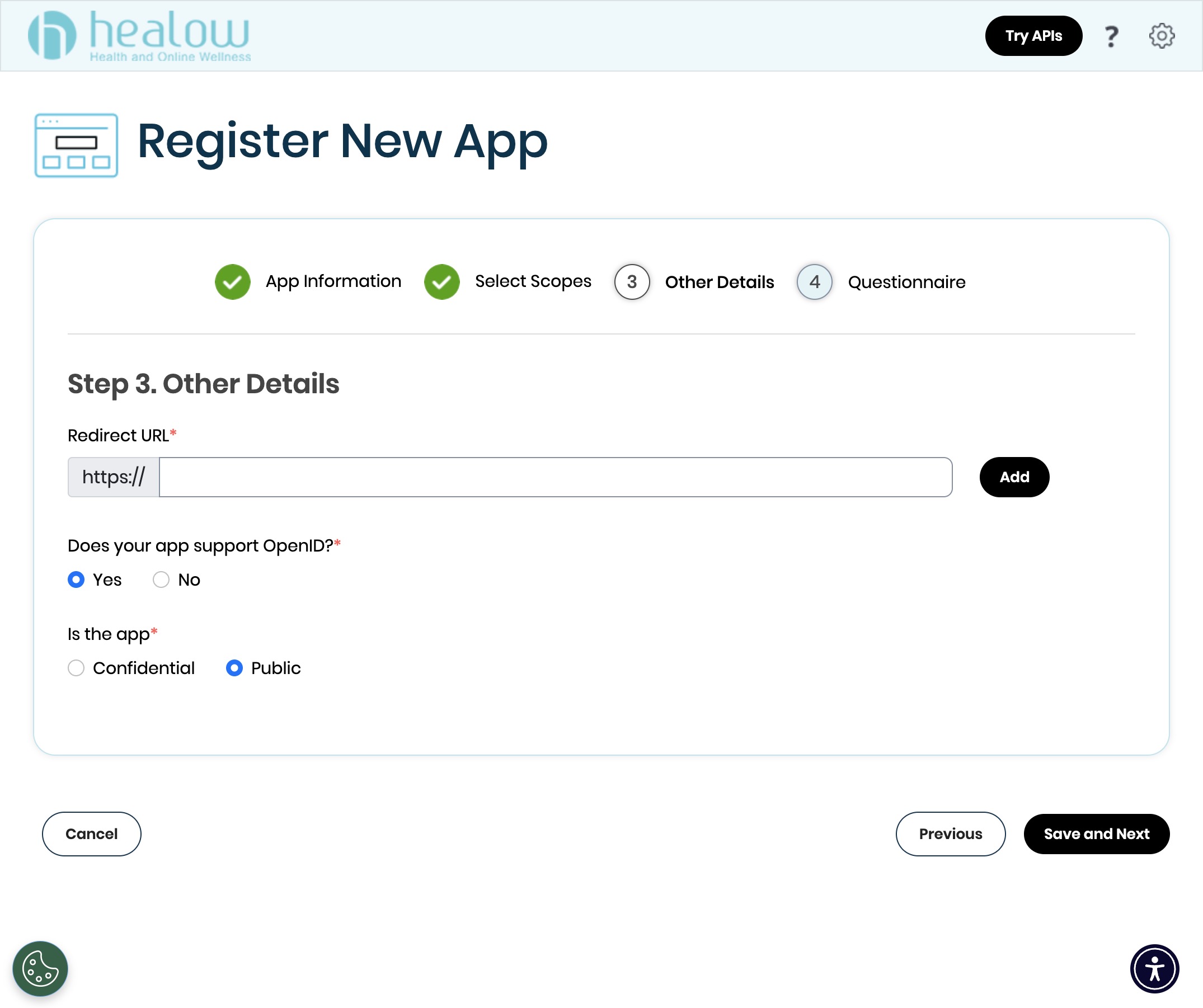
- Redirect URL: Set this to
{PUBLIC_URL}/healow/callbackwhere{PUBLIC_URL}is your Mere Medical instance URL (e.g.,https://mere.example.com/healow/callback) - Does your app support OpenID?: Yes
- Is the app: Public
- Refresh Token: No (public apps cannot use refresh tokens)
Healow requires HTTPS for all redirect URLs. Localhost URLs are not supported. For local development, you'll need to use a tunneling service like ngrok to expose your local instance over HTTPS.
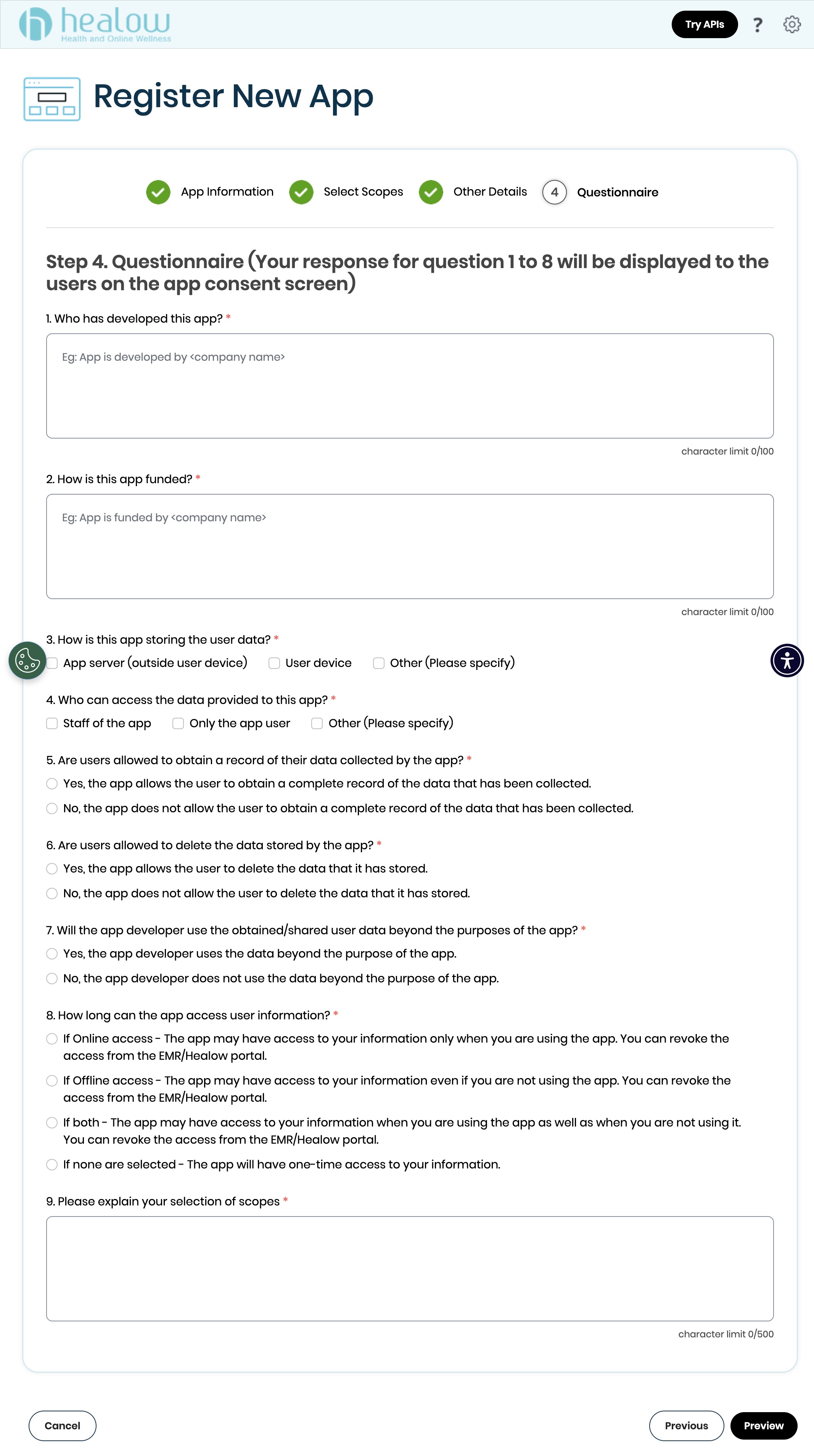
Questionnaire
Complete the required questionnaire to finish your app registration.
Configuration
After your app is approved, you'll receive a Client ID (and Client Secret if using confidential mode). Add these to your Mere Medical instance:
Public Client
HEALOW_CLIENT_ID=your-client-id-here
Confidential Client
HEALOW_CLIENT_ID=your-client-id-here
HEALOW_CLIENT_SECRET=your-client-secret-here
When HEALOW_CLIENT_SECRET is set, Mere Medical automatically enables confidential mode with refresh token support.